Edit text in image online with AIand keep the original font.
ImageEditText changes the words inside a picture and keeps the original font style, size, color and background. Click a line, type the new words, done.
No account needed to start. Same font, size and color, matched automatically.
Real results.Nothing retouched by hand.
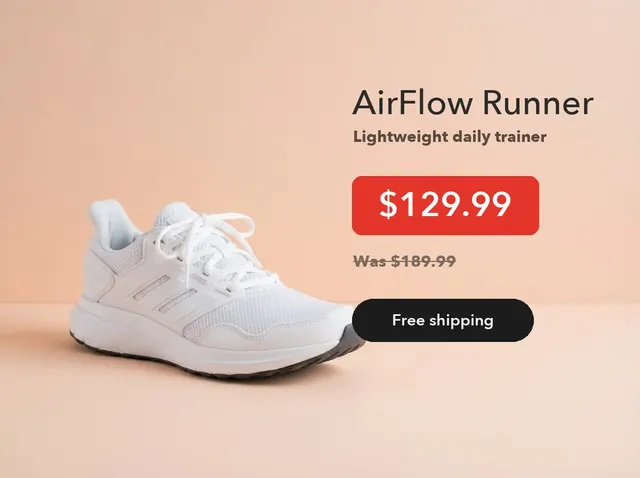
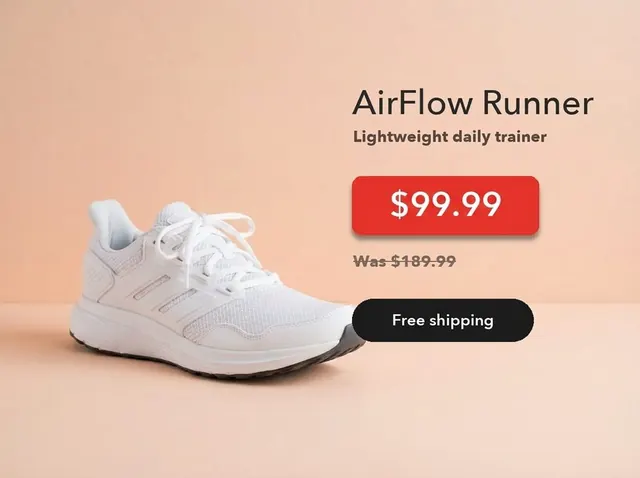
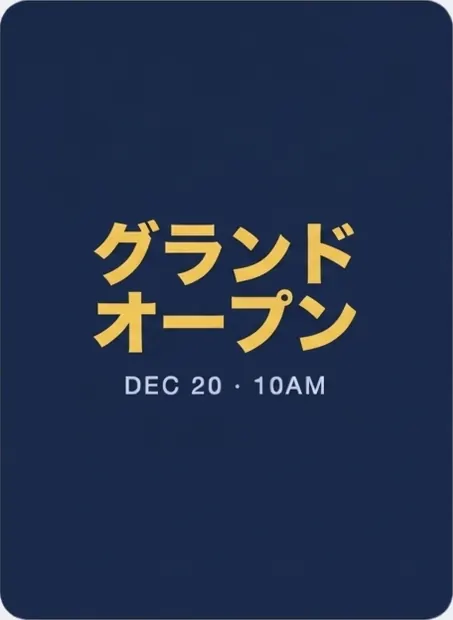
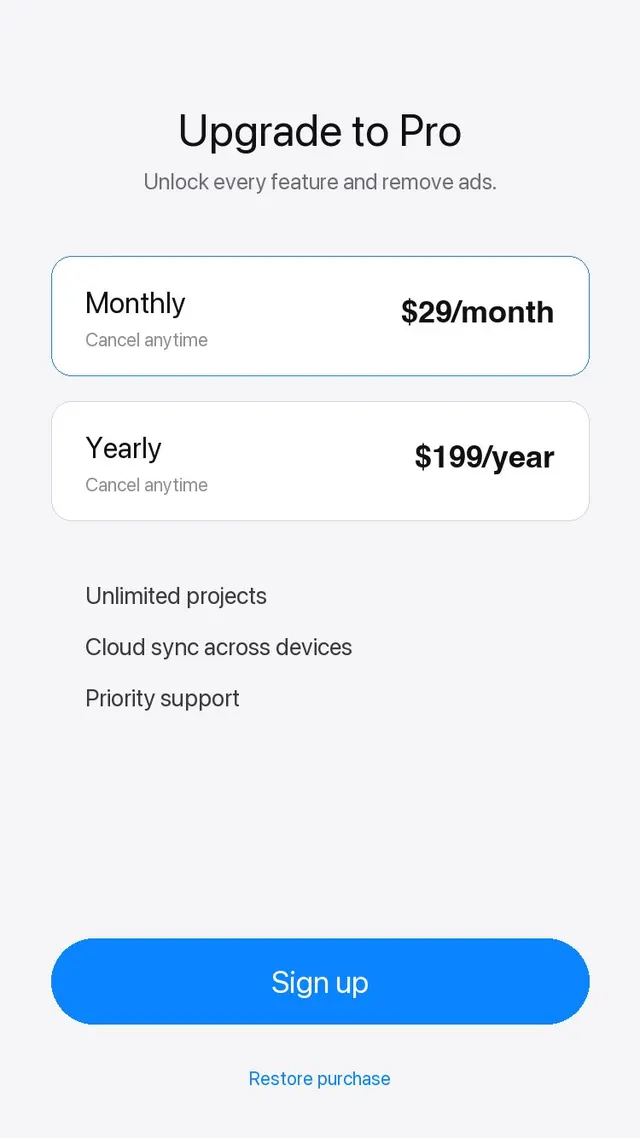
Each pair was made with ImageEditText. The box marks the text that changed; pixels outside it are copied back from the original file.

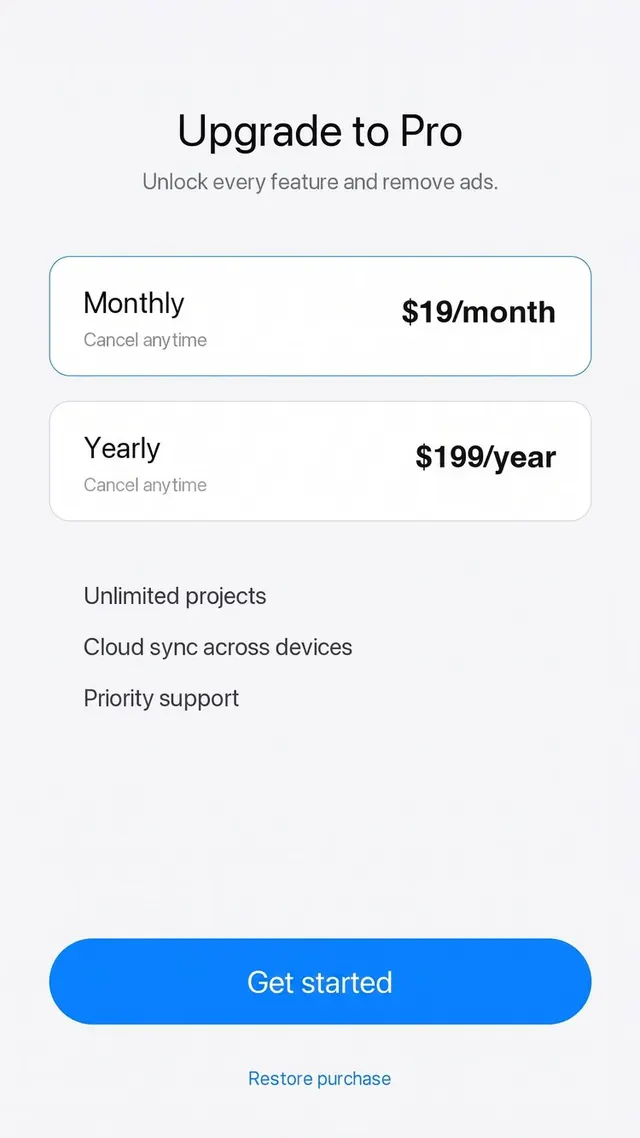

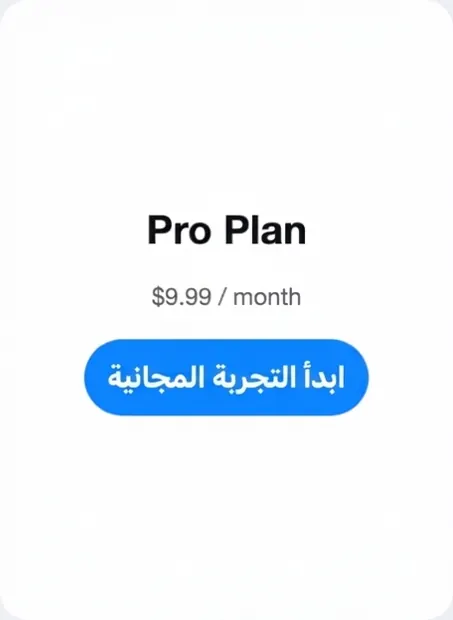
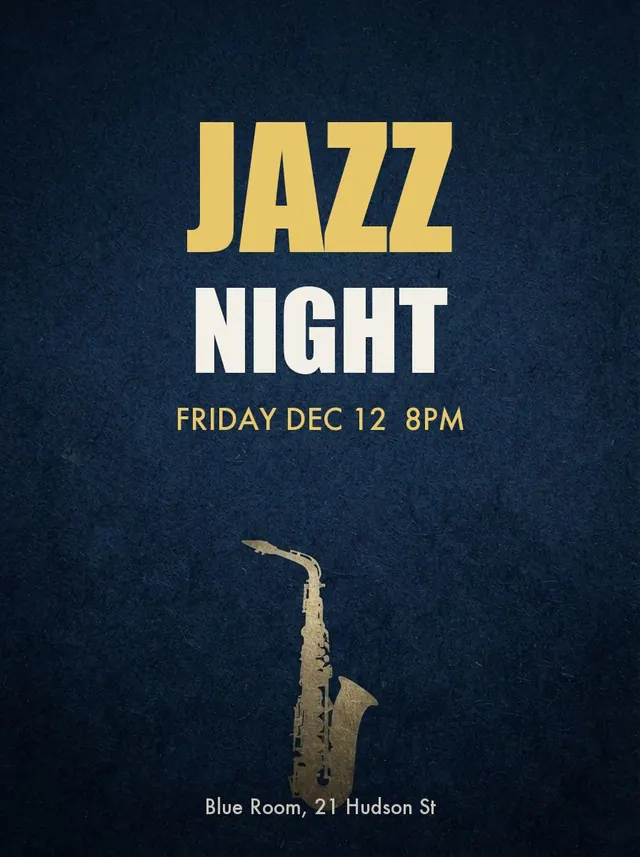
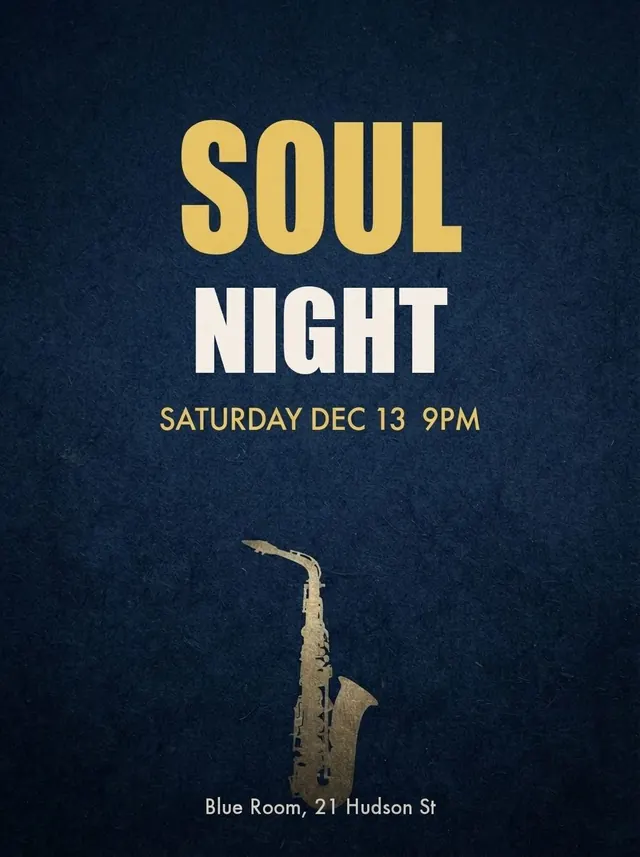
How do I edit text in an image?Three steps, no font picking.
The model reads the font, weight, slant and color from the pixels around your edit and redraws the new words to match.
- 1
Upload. Drop an image or paste a screenshot. We find every line of text and where it sits.
- 2
Click and type. Click the words you want to change and type the new text. Change as many lines as you like before generating.
- 3
Generate and download. Compare with the original, then download a full-resolution PNG or JPG.
How accurate is it?Our test numbers.
November 2026 run: 12 images with 2 edits each, from an app paywall to a curved chalkboard, with the default model Gemini 3.1 Flash Image.
edits spelled correctly on 12 test images, including handwriting, italics and curved chalk lettering.
average manual score for font, color and background, the highest of 11 image models we tried.
structural similarity outside the edit boxes before we paste your original pixels back.
of the 24 edit targets located by our text detection step, with 0.92 average box overlap.
Which languages can I edit?Sixteen, including Arabic.
In a 93-edit multilingual test on 31 images, every language came back with its text and background colors unchanged.
- English
- Spanish
- Portuguese
- French
- German
- Russian
- Turkish
- Indonesian
- Vietnamese
- Simplified Chinese
- Traditional Chinese
- Japanese
- Korean
- Arabic
- Thai beta
- Hindi beta
Arabic is right-to-left with joined letters. Thai and Hindi are mostly correct but can drop or add a stacked character, so check those results first.
What people use it for.Change the words, keep the design.
Product images. Change prices, sizes and promo labels on store photos.
Best for shop owners updating a sale.App and web screenshots. Fix a typo or update copy without reopening the design file.
Best for product and marketing teams.Posters and flyers. Reuse a design with a new date, offer or headline.
Best for events that repeat.Translations. Replace the words with another language and keep the look.
Best for launching in a new market.ImageEditText vs PhoText vs Canva.Where each one is better.
| Feature | ImageEditText | PhoText | Canva (Grab Text) |
|---|---|---|---|
| How the new text gets its font | Generated to match the original pixels | You pick a font from a library | Text becomes a layer you style |
| Pixels outside your edit | Copied back from the original | Redrawn on a canvas | Part of a Canva design |
| Free download | 1 free edit after sign-up | Free downloads, with limits | Grab Text is on paid plans |
| Lowest paid price | $0.99 for one image | $5 for 80 credits | Canva Pro subscription |
| Speed | About 26 seconds per generation | Instant | Instant once in the editor |
PhoText and Canva update text instantly and let you set any font by hand; we take about 26 seconds because a model redraws the text. Checked 2026-11-24 from their public pages.
Pay for one image.Or subscribe if you edit often.
$0.99 one time
One image in full resolution, PNG or JPG. Sign up and try one edit free.
- Pro. 15 images every month, full resolution.$9.99/mo
- Business. 50 images every month, full resolution.$29.99/mo
Yearly plans are 50% off. Cancel any time.
See all plansLimits you should know.Before you rely on it.
- Generation takes about 26 seconds, not instant.
- Thai and Hindi are in beta: complex stacked characters can come out wrong. Check before publishing.
- Very small or heavily distorted lettering varies more; check the result before you use it.
- We do not allow editing IDs, diplomas, licenses, official certificates, receipts or anything meant to deceive. Certificates you issue, such as awards and completion certificates, are fine.
Questions.Answered in one line first.
How do I edit an existing text in a picture?
Upload the picture, click the line you want to change and type the new words. You can change several lines before generating once. ImageEditText redraws the new text in the style of the original, including handwriting and curved lettering, and repairs the background behind it.
Can I use AI to edit text in an image?
Yes. ImageEditText uses an image model (Gemini 3.1 Flash Image) to redraw only the words you change. In our November 2026 test of 24 edits on 12 images, it spelled 24 of 24 correctly and scored 4.7 out of 5 on font, color and background, the best of 11 models we tried.
How can I edit text in an image for free?
You can upload and edit without an account. Sign up and try one edit free. Full-resolution downloads cost $0.99, or is included in Pro ($9.99/month, 15 images) and Business ($29.99/month, 50 images).
What app can I use to edit text on a photo?
ImageEditText runs in the web browser, so there is nothing to install. Open imageedittext.com, upload the photo, click the text and type.
How do I edit text on a picture on my iPhone?
Open imageedittext.com in Safari, tap Upload and choose the picture from Photos. Tap the text you want to change, type the new words, generate, then save the result to Photos.
Can I edit text in a screenshot?
Yes. Paste the screenshot with Ctrl+V or Cmd+V, click a line and type. Everything outside your edit stays the same.
How can I edit text in an image in Canva?
Canva's Grab Text turns text in an image into an editable layer on eligible paid plans, and you then style it yourself. ImageEditText instead redraws the new words to match the original style automatically and copies every other pixel back from your file.
Will the rest of my image change?
No. Only the area around the words you edit is replaced. Pixels outside the edit boxes are copied back from your original file.
Which download formats do I get?
PNG or JPG at the original resolution, once the image is paid for or covered by your plan.
Can I use it to alter documents or IDs?
No. Identity documents, diplomas and degrees, professional licenses, official certificates, receipts and anything meant to deceive are not allowed. Award, course and event completion certificates you issue yourself are fine.